AI Speaker for Staff Training
What a AI Speaker for Staff Training Looks Like
Staff training is different from a keynote. The goal isn't just inspiration. It's skill transfer. Every training session I deliver is designed around one question: what will participants be able to do tomorrow that they can't do today?
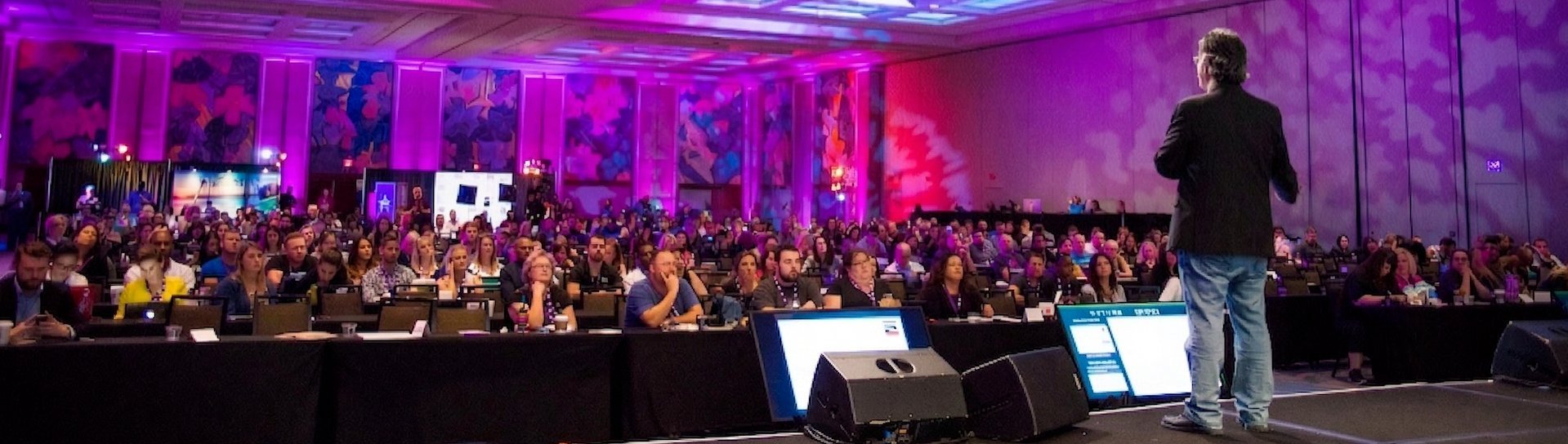
I structure staff training in progressive modules that build on each other. We start with a shared foundation that levels the room, not a lecture, but a quick interactive exercise that shows people what they already know and fills in the gaps. Then we move into guided practice where I demonstrate an AI technique and participants immediately try it with their own work scenarios. Each module ends with a real output participants keep.
The pace is calibrated for learning, not performance. I move fast enough to keep experienced users engaged and slow enough to keep beginners with me. I use pair work so team members can help each other, and I build in checkpoints where participants can ask the questions they're actually thinking. By the end, every person in the room has used AI tools to create something real and useful for their specific role.
Why Joel Comm for Your AI Speaker for Staff Training
I've been training people on emerging technology since before most of your staff was born. What sets my training apart is 46 years of knowing what actually works when you're teaching non-technical people a new skill. I don't assume prior knowledge, I don't rush, and I make sure every person in the room succeeds. The Disruption Confidence Cycle provides the strategic context, and the hands-on exercises provide the practical skills.
Joel has worked with Microsoft, IBM, Cisco, Alibaba, T-Mobile, Twitter, and dozens of other global organizations to help leaders and teams navigate technology with confidence.
What Your Audience Will Walk Away With
- Every participant completes the session having used AI tools to create real outputs relevant to their actual job
- Staff gain confidence to experiment with AI independently after the training ends
- Your organization builds a baseline of AI literacy that makes future AI initiatives easier to implement
- Training directors get measurable skill development they can report to leadership
Common Concerns
"Some of our staff are resistant to AI, will they disengage?"
Resistant staff are my specialty. Resistance almost always comes from fear, not stubbornness. I start every session by acknowledging that AI feels uncomfortable for a lot of people, and that's completely rational. Then I let the hands-on exercises do the work. Once someone uses AI to solve a problem they actually have, the resistance almost always dissolves. I've seen it happen hundreds of times. The key is making it safe to be a beginner.
"We've done tech training before and attendance engagement dropped off quickly."
That usually happens when training feels like a lecture or when the content doesn't connect to people's actual work. My sessions are built around your staff's real tasks and challenges. I have people working with AI tools within the first fifteen minutes, and every exercise uses their own work scenarios. When training feels immediately relevant to what someone does every day, engagement stays high because the value is obvious.
Frequently Asked Questions
What's the ideal group size for AI staff training?
The sweet spot for maximum hands-on learning is 25 to 75 participants. For groups over 100, I recommend adding a facilitator assistant to ensure everyone gets support during exercises. I've run effective sessions with groups as large as 200, but smaller groups allow more individual interaction.
How long should a staff training session be?
For meaningful skill development, I recommend 2 to 3 hours. This allows time for multiple skill-building modules with real practice. I also do effective 90-minute sessions for organizations with tighter schedules. Anything under 90 minutes works better as a keynote format rather than a training format.
Do participants need to bring devices?
Yes, a laptop or tablet is ideal, though smartphones work for many exercises. I send a short preparation guide beforehand that covers what to bring and any free accounts to set up. It takes about 10 minutes and ensures everyone is ready to participate from the start.
Can the training be customized for different departments?
Absolutely. A training session for your marketing team looks very different from one for your operations team or your customer service team. I tailor the AI tools, examples, and exercises to each department's actual workflows. Some organizations book me for multiple sessions across departments to ensure everyone gets role-specific training.